What That Tiny Hole at the Bottom of Your Phone Really Does
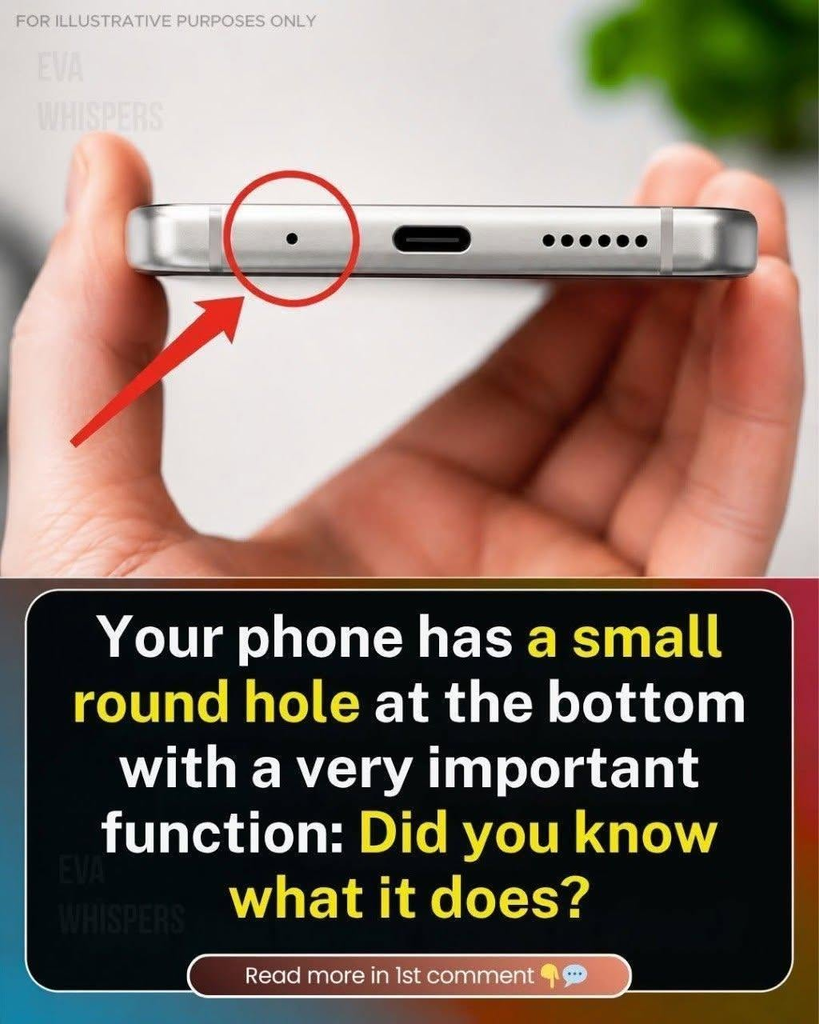
Have you ever looked closely at the bottom of your smartphone and wondered what the tiny round hole next to the charging port is for? Many people notice it but never give it much thought. Others mistakenly believe it is a reset button, a second charging port, or even a place to insert a SIM-ejector tool.
In reality, that tiny opening often serves an important purpose: it is usually a microphone that helps your phone capture your voice clearly during calls and recordings.
Although it looks insignificant, this small component plays an essential role in everyday smartphone use. It helps you communicate with other people, record audio, send voice messages, and interact with voice-controlled features.
However, smartphone designs differ, so it is important to understand that not every small hole on a phone has the same function. Knowing what the opening does—and how to care for it—can help you avoid accidental damage and keep your device working properly.
1. The Tiny Hole Is Usually a Microphone
On many smartphones, the small round opening near the USB-C or Lightning charging port provides access to a microphone.
A microphone converts sound waves into electrical signals that the phone can process and store or transmit.
When you speak during a phone call, your voice creates sound waves. These waves travel through the microphone opening and reach a small microphone component inside the device.
The microphone converts the sound into an electronic signal. Your phone then processes that signal and sends the audio to the other person during a call or saves it when you record something.
Without a functioning microphone, the person on the other end of a call might hear little or nothing, even if your phone’s speaker works perfectly.
This is why such a small opening can have a surprisingly important effect on your smartphone experience.
The hole itself is not the microphone’s entire mechanism. It is an opening that allows sound to reach the microphone while helping the device maintain its compact design.